Jim Rossman: Some resources to help keep up your tech skills
Published in Science & Technology News
This week’s question is one a lot of us have: “I am 72 and have been retired for only three years, but find that, without daily use of the business requirements to 'keep up' and add new skills and knowledge, I’m falling far behind. I also had to switch from Microsoft at work to Apple at home and am even further behind with that. My question is whether you can suggest some local classroom education for old learners like me, where we could start with basics and then add up-dates and new items. I’m deathly afraid of screwing something up if I press the wrong thing or don’t understand the very brief screen instructions. Even a list of good and reliable websites that instruct with basics and add-ons would be helpful."
As someone who keeps up with technology for a living, even I find myself having to look things up and I work hard to keep learning.
When I’m visiting my mom, often our conversations will turn to tech topics she’s been wondering about. As we talk through the issues, sometimes she’ll look at me and ask, “How did you learn all this?”
I joke that it’s my job to learn it.
If you don’t have a child who is a technology columnist like my mom, there are some great online resources you should be checking out.
Senior Planet from AARP
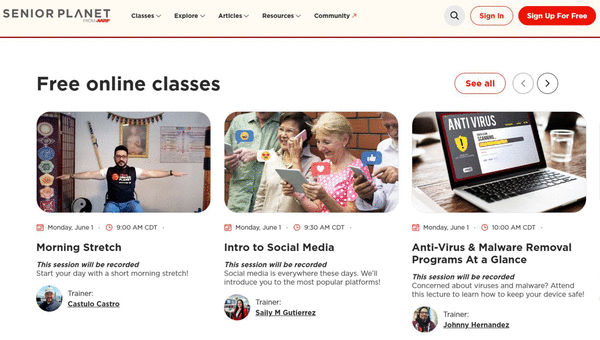
Everyone is familiar with AARP, but did you know they have a free website at seniorplanet.org that offers free expert-led classes, both online and in person at locations around the country?
You’ll need to set up an account, but that’s easy enough. They have live classes each day via Zoom that you can join from your computer to learn about topics including Intro to Social Media, Anti-Virus & Malware Removal Programs At A Glance and How to Choose a New Computer. These classes are just a few of the ones happening the day I write this column, and there are dozens of more topics each day. There are also wellness classes you can join, and the sessions are recorded, so you can go back and watch again if you need a refresher on the topic.
Another great resource is Cyber Seniors (cyberseniors.org). Their classes include topics like Track Your Packages with Confidence, Sending Money Internationally: What You Need To Know, and Music Streaming Made Simple.
The reader asking this week’s question is in Dallas, and locally, Dallas College offers a program called Lifelong Learning that offers in-person technology and digital literacy classes as well as classes on health and wellness, art and creativity, and financial literacy. You can check with your local university or community college or junior college to see if they offer similar courses. For seniors, they are often free or very low cost.
©2026 Tribune Content Agency, LLC.






Comments